

Ausmed is a Trusted Information Partner of Healthdirect Australia. Verify here.


© 2026 Ausmed Pty Ltd (ABN: 33 107 354 441)
For aged care providers who train manual handling, fire safety and clinical skills in person. Book sessions from one calendar, mark attendance on a phone, and have a named assessor sign off competency on the floor, all on the same record as online learning.
Book a walkthroughEducators teach hoist transfers, fire drills and hand hygiene in person because staff have to practise them. Then the record splits across Outlook, sign-in sheets and a folder at each home, and someone stitches the answer to the Commission's question about manual handling together from all three.

The educator plans sessions in a file only they can see, and nobody knows how many seats are left.
Ausmed Events puts every session at every home on one calendar that staff and managers share, each with a set capacity.

Someone keys in the sign-in sheets weeks later, if at all, so the record says the training didn't happen.
Facilitators mark attendance in Events on a phone during the session, and it goes onto the worker's record.

The overflow is a list in someone's inbox, and those staff turn up overdue three months later.
When an Events session reaches capacity, further staff go onto a waitlist automatically and stay on the schedule.

Producing signed checklists means a call to every home, and a worker who leaves takes the trail with them.
Ausmed Competency™ holds every sign-off centrally from the moment the assessor submits it.

One assessor watches the full procedure, another signs from memory.
A shared assessment template sets the elements every assessor has to observe, and you decide who is authorised to assess each competency.

A paper record can't show which workers at a home have never been assessed on the hoist.
Competency dashboards show who is competent and not yet competent by team, role or location, with every attempt time-stamped.
When a sign-in sheet holds the only record of practical training, the completion report misses it, and someone has to find it by hand when an auditor asks. In Ausmed, attendance and the assessor's sign-off complete the requirement in the worker's training plan.
See it with your own homesWorkers practise on the equipment the home actually uses, and an assessor signs off each element.
Book a session at every home each year from one calendar, and mark attendance on the day.
One of the 2.9.6 core matters: educators teach it in person and assessors check it against an observation checklist.
An assessor observes new care workers in their first weeks, and each sign-off sits on their record.
An assessor reassesses staff coming back from extended leave before they pick up their usual tasks.
When an assessor marks a worker not yet competent, Ausmed flags them for follow-up and logs what happens next against the result.
Set up your venues, facilitators and programs, then publish sessions to one calendar that staff and managers can both see. Sessions can be in person, virtual or hybrid, each with a capacity and a last date to enrol.
Link each session to a practical activity in a worker's training plan, so attending it counts towards what they have to complete.
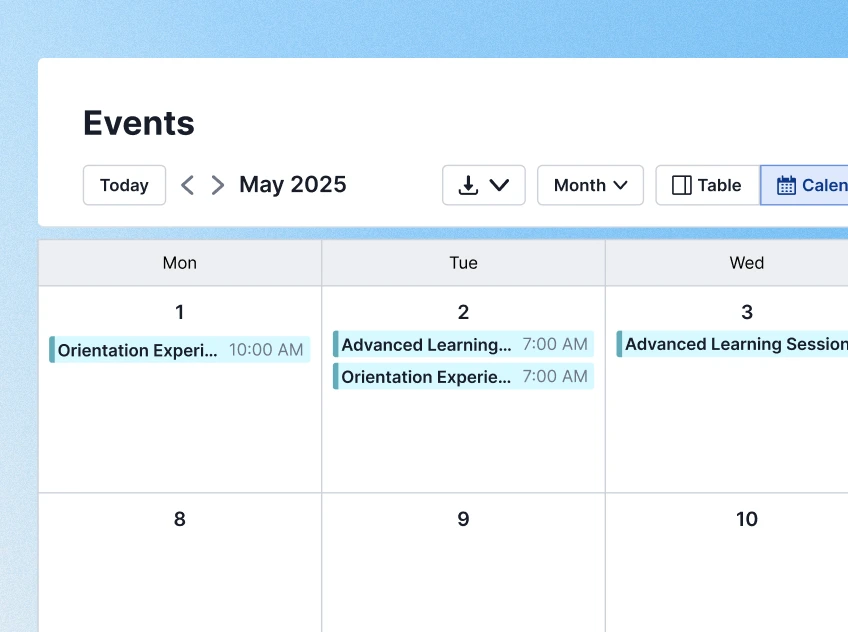
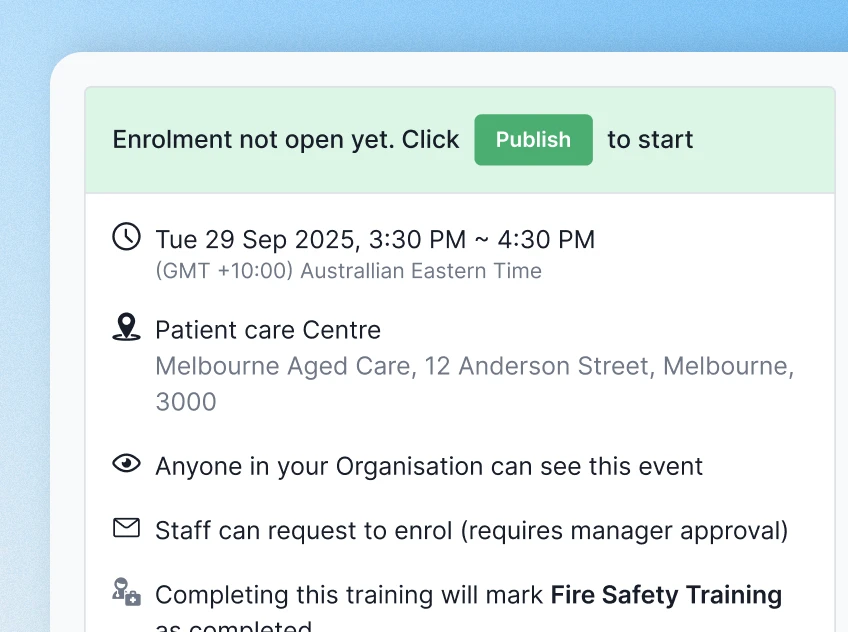
Staff can enrol themselves, with their manager's approval where you require it, or managers can enrol their teams directly. When a session reaches capacity, further staff go on the waitlist automatically and stay on the schedule.
Minimum enrolment alerts tell the educator when a session isn't filling, before you commit the facilitator and the room.
Ausmed Competency™ includes a library of observation-based assessment templates for aged and home care. Use them as they are, or build your own against your procedures in the Competency Builder. Each one sets out the elements an assessor has to see before signing.
Use them for the core matters Action 2.9.6 names, where a practical assessment is the clearest evidence, and for the skills your homes depend on day to day.
Discover Ausmed Competency™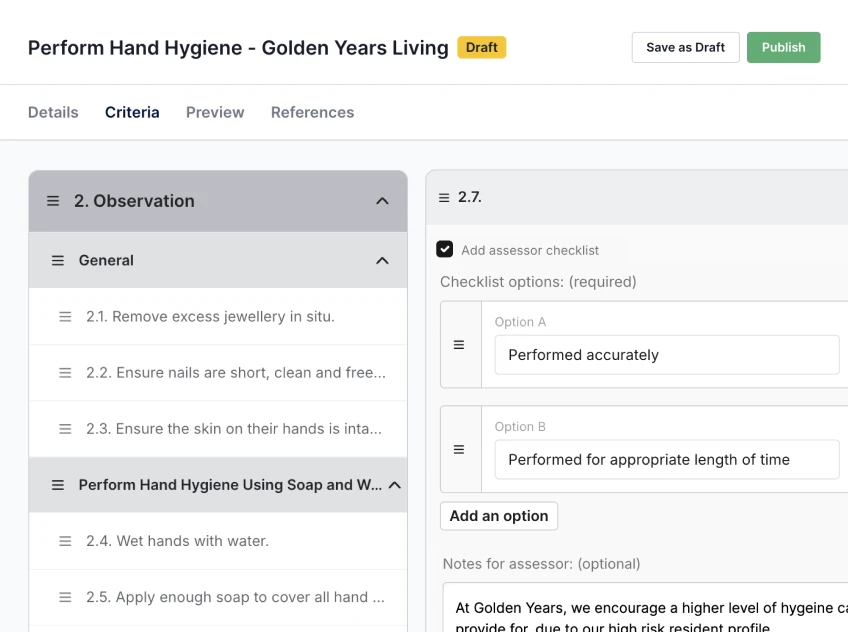
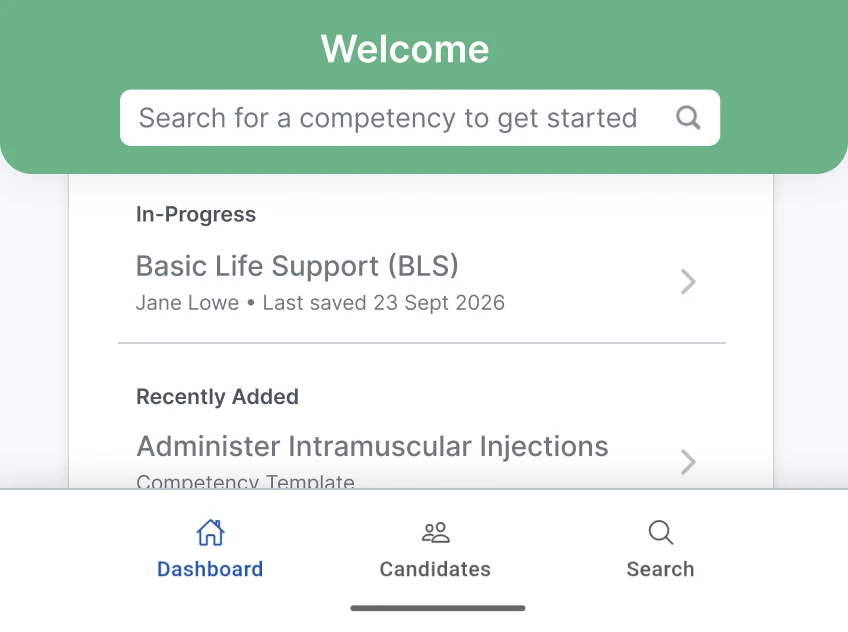
The assessor opens the assessment on a phone or tablet and works through the briefing, the observation and the knowledge questions. They mark each element Satisfactory or Not Yet Satisfactory, with comments. The sign-off records the assessor's name and a date and time stamp.
You choose who is authorised to assess each competency, so a registered nurse can hold sign-off for a clinical procedure while a team leader assesses manual handling. Ausmed keeps every attempt and result, time-stamped, against the worker.
Facilitators mark attendance from an app during the session. Attendance completes the practical activity it is linked to in the worker's training plan, and where a session ends in a competency assessment, the sign-off completes it too.
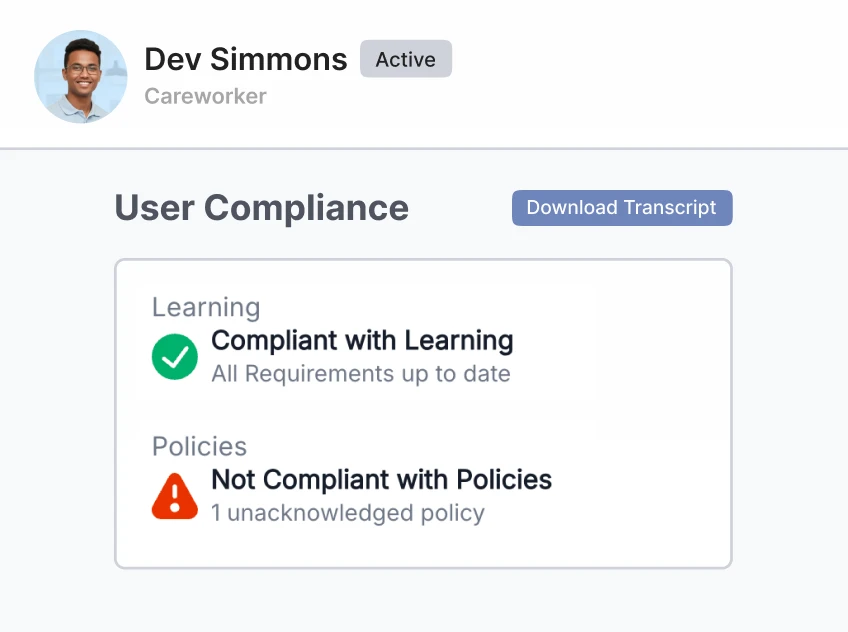
The session, the sign-off and the online modules then sit in the same compliance record that a manager or an auditor sees, and you can report attendance and non-attendance session by session.
Assessment templates, the Competency Builder and on-site sign-off by authorised assessors.
Ausmed Competency™Practical activities in each worker's training plan, so sessions and sign-offs count in the compliance record.
Ausmed Learn™Compare training compliance across homes and teams month on month, including the in-person requirements.
Ausmed Analytics™Competency-based training equals what a worker learned and what an assessor watched them do.
Ausmed holds both as dated records against the worker: the module in their training plan, any in-person session they attended, and the assessor's sign-off with a name and time stamp.
All aged care workers regularly receive competency-based training in relation to core matters, at a minimum: a) the delivery of person-centred, rights-based care b) culturally safe, trauma aware and healing informed care c) caring for individuals living with dementia d) responding to medical emergencies e) the requirements of the Code of Conduct, the Serious Incident Response Scheme, the Quality Standards and other requirements relevant to the aged care worker's role.
Where a session ends in an assessment, the sign-off completes the linked practical activity. The knowledge and the practice then sit in the same compliance record.
Audit preparednessBring the spreadsheet you run face-to-face training from, and we'll set a month of those sessions up in Ausmed with you.
Events is not part of every subscription. Talk to us about what it would look like for the number of staff and homes you have.
Yes. Ausmed Learn™ already records learning completed outside the LMS, including face-to-face sessions, so the compliance history stays complete. Events adds the scheduling, enrolment and attendance marking around it.
You decide, competency by competency. You authorise assessors per competency, and each sign-off records who assessed, when, and any comments.
Ausmed sends a notification, and records the follow-up in an action log against that result. Assessments don't lapse on their own, so you set the reassessment cycle.
Ausmed is a Trusted Information Partner of Healthdirect Australia. Verify here.