


Ausmed is a Trusted Information Partner of Healthdirect Australia. Verify here.


© 2026 Ausmed Pty Ltd (ABN: 33 107 354 441)
Ausmed assigns training by job role, enrols new starters in induction, puts the modules on the worker's phone, and reports by Standard for your category 4 or 5 audit.
Book a walkthroughSupport at Home, the Aged Care Act 2024 and the Strengthened Aged Care Quality Standards all started on 1 November 2025.
The program sets what a client receives. Your registration category sets the audit: the Commission audits categories 4 and 5 against the Standards when you apply to register, renew or extend.
From 1 November 2025, the Support at Home program replaced the Home Care Packages (HCP) program and the Short-Term Restorative Care (STRC) programme.
The Commonwealth Home Support Program (CHSP) will transition to Support at Home no earlier than 1 July 2027.
User sync with your HRIS adds each worker with their job role, location and manager, and moves or removes them as that changes.
A registered nurse in care management, a personal care worker and a domestic assistance worker each hold only the requirements for their role, repeated on the cycle you set.
Ausmed Perform™ runs induction and probation as a program, schedules each checkpoint and records it against the worker.
Modules run in the Ausmed app on the worker's phone, and push reminders tell them what falls due next.
Compare teams and locations month on month, and download coverage by Standard when your registration comes up for renewal.
Ausmed Library™ carries more than 500 aged care resources, including Annual Mandatory Training: Home and Community Care and Strengthened Aged Care Quality Standards: Home Care. Assign the modules each role needs and leave out the ones written for residential homes.
Workers open them in the Ausmed app wherever they are, and training modules carry closed captions in eight languages for staff who speak English as a second language.
Ausmed can also deliver Library modules as SCORM into an LMS you already run.
Explore the Aged Care Library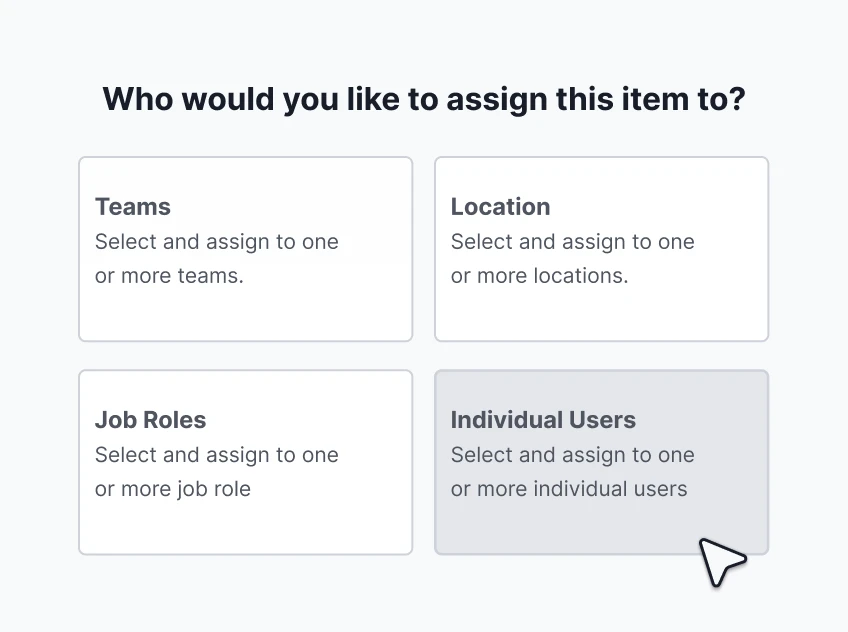
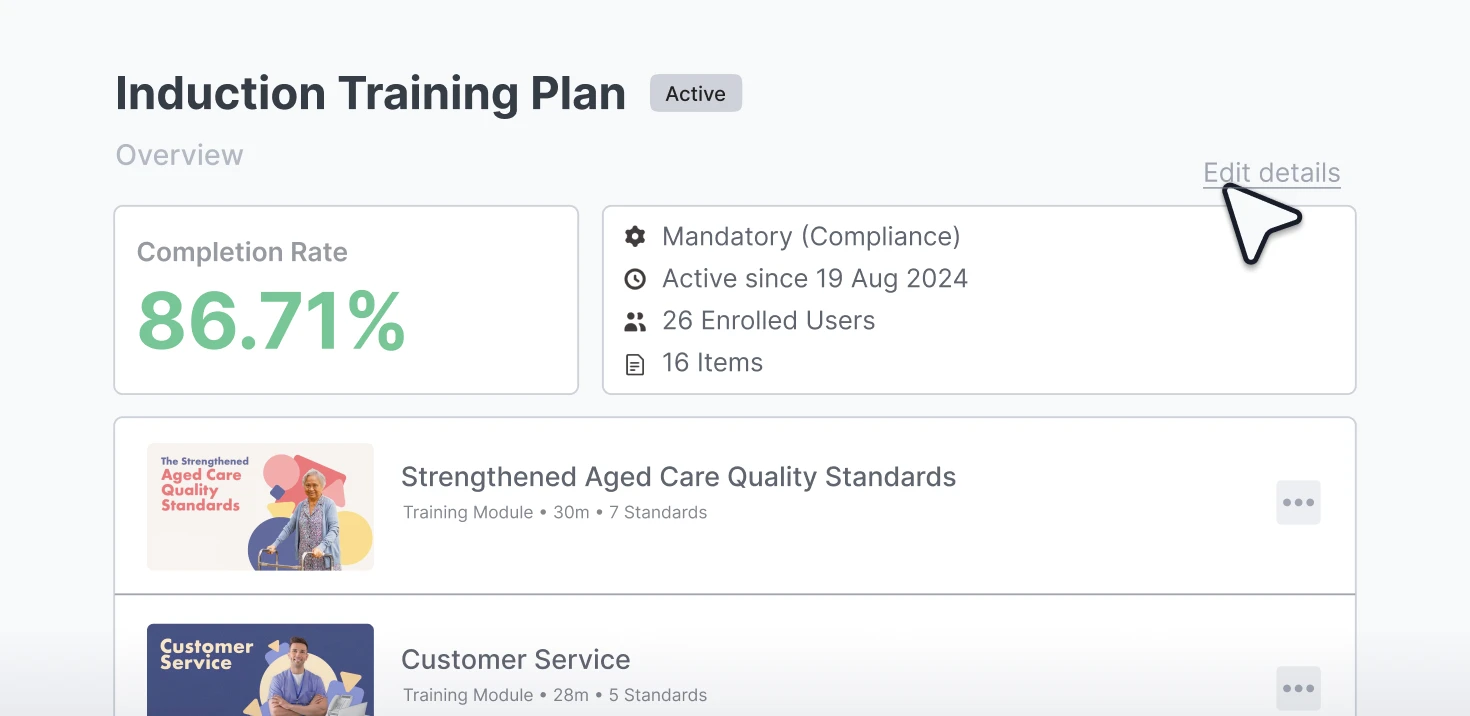
Ausmed Learn™ assigns training plans by job role, team and location, and repeats them on the frequency you set. A nurse delivering care management and a worker delivering domestic assistance don't share a list, so neither is chasing training that isn't theirs.
Reminders go out before a requirement is due, and again when it is overdue. Anything still outstanding shows in the Workroom, where a manager can send a reminder, give an extension or mark it complete, without ringing round the team.
Learning managementAusmed Perform™ runs induction and probation as programs. Perform enrols a new starter when they join, schedules every checkpoint up to the end of probation, and records each one against them once done.
A manager who sees a home care worker in person once a month still gets each check-in when it falls due, and the record is there afterwards for Outcome 2.9.
Performance and supervision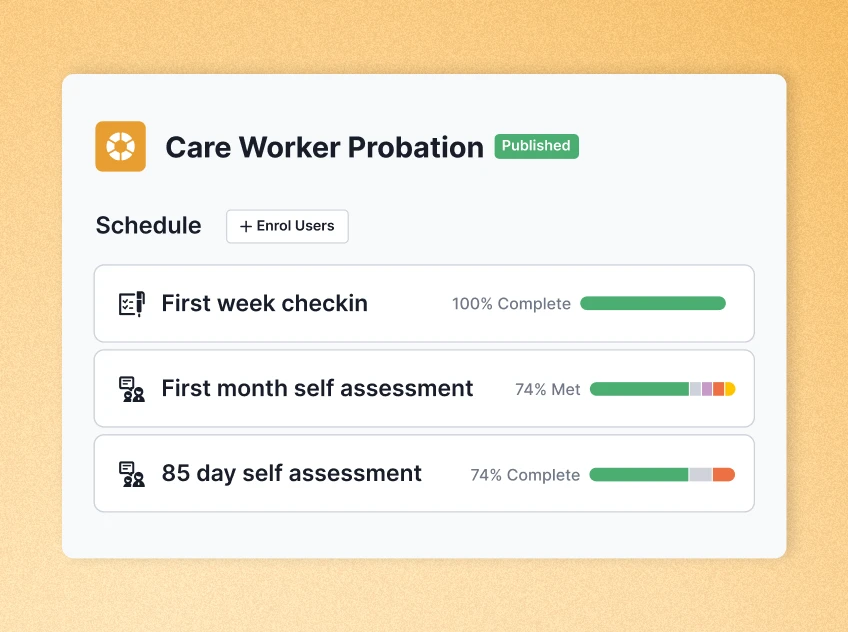
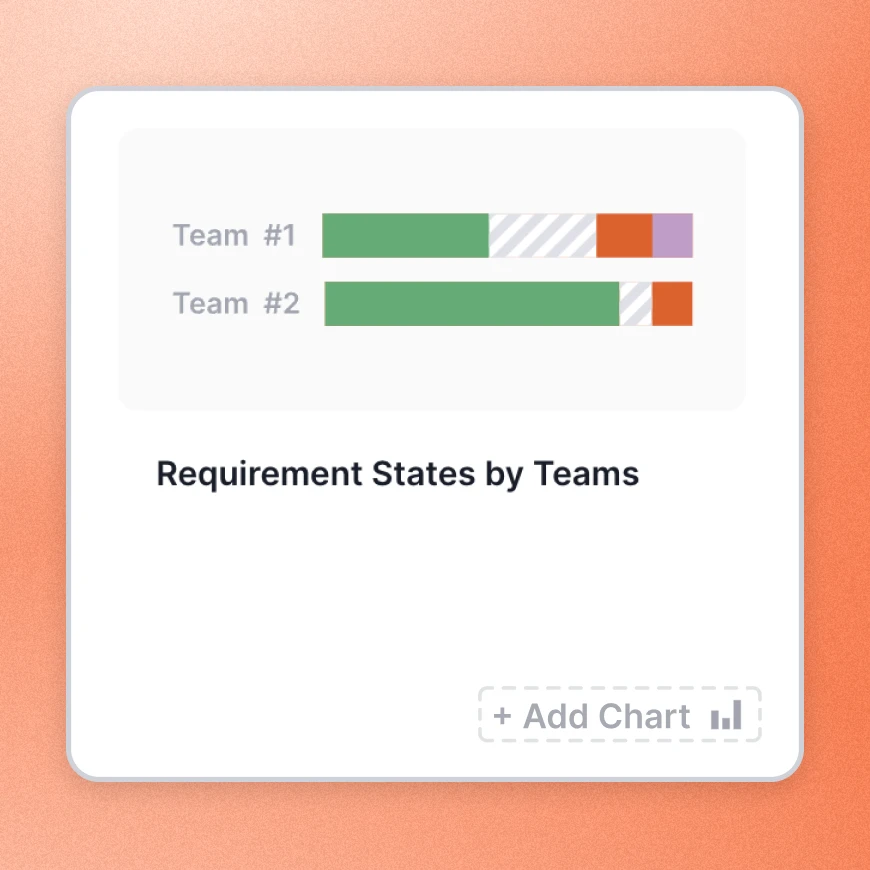
The Team / Location Report in Ausmed Analytics™ compares every team or location month on month. A region slipping on mandatory training shows up while there is time to fix it.
The board gets risk and progress, managers get their due and overdue list, and an auditor can see the evidence behind each worker.
Reports export as CSV or PDF for a meeting or an audit pack. For coverage by Standard, the Regulatory Standards report in Ausmed Learn™ sits alongside.
Compliance reporting| Without a system | With Ausmed | |
|---|---|---|
| Assigning training | One list for everyone, updated by hand | Training plans by job role, team and location |
| New starters | Waiting for the next face-to-face induction | Induction from the day they join, on their phone |
| Reminders | Emails from a coordinator, when there's time | Ausmed sends them before the due date, and again when overdue |
| Probation | A diary note to catch up | Checkpoints on a schedule, each on the worker’s record |
| Audit evidence | Someone rebuilds exports into a spreadsheet | Reports by team, job role, location and Standard |

To prepare for the Strengthened Aged Care Quality Standards, Ozcare gave its frontline workforce shorter, punchier content, and its managers and support roles more in-depth modules.
It is now working through the aged care reforms with a particular focus on Support at Home, with Ausmed as a partner.
Read the Ozcare story
The five registration categories, the Standards the Commission audits categories 4 and 5 against, and the record for each.
Standards for home care
For care workers who travel between clients' houses all day, with no office to drop into.
Dispersed and isolated workforceNick, Chief Operating Officer, Community Living, Ozcare
Bring the roles in your Support at Home service and we'll show you the training plan for each one.
Categories 4 and 5 in home care, and category 6 in residential care. The Commission audits against the Standards when a provider applies to register, renews, or extends into one of those categories.
The Commonwealth Home Support Program will transition to Support at Home no earlier than 1 July 2027. Until then you can run CHSP and Support at Home workers in the same account, with training plans by role and team.
Yes. Training plans assign by job role, team and location, and reports filter the same way, so each service reports on its own.
Ausmed is a Trusted Information Partner of Healthdirect Australia. Verify here.